
Landlord Portal FAQs
Landlord Portal is a new online tool that allows landlords with tenants on the Springfield Metropolitan Housing Authority Section 8 Housing Choice Voucher (HCVP) program to review information pertaining to issued payments, tenants, scheduled and completed inspections, and tax forms at your convenience, without having to call or visit the housing authority offices with which you are accustomed to working.
To get started, CLICK HERE to be directed to Landlord Select Register.
A new window will open. Select the box titled Landlord.
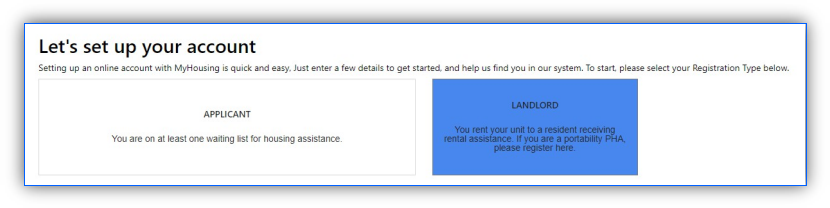
Complete your Registration in three easy steps!
-
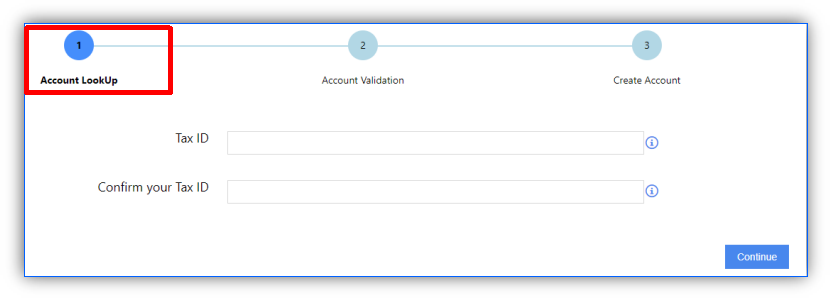
Account Lookup:
Lookup your account by entering the Tax-Id associated with the property for which you receive a monthly HAP.
-
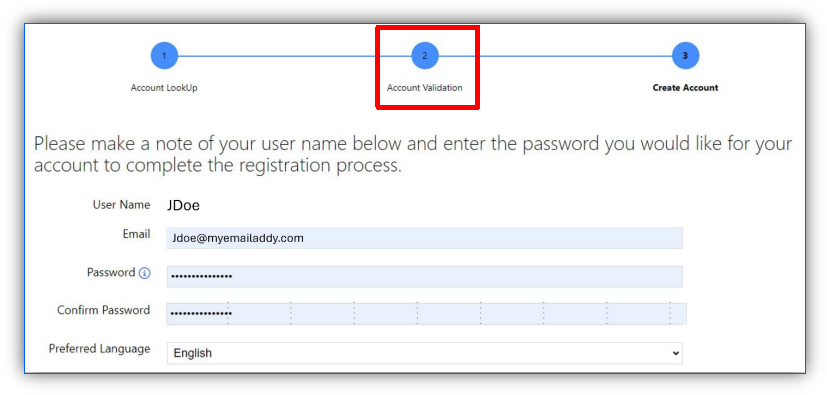
Account Validation:
A Username will be automatically assigned to you. Please make a note of it for future use. Enter and validate a new password you want to use to login with.
-
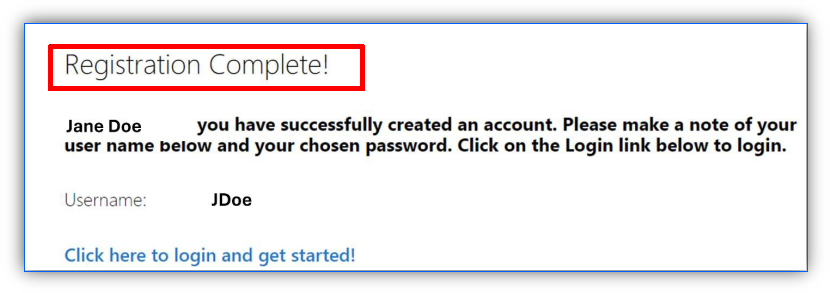
Registration Complete!
Only active landlords can create new accounts.
As a registered landlord, you will be able to use Landlord Portal to review:
- A list of your HCVP tenants
- Your HAP payments, by tenant, for the prior months
- Reexamination or recertification dates for your tenant(s)
- Year-end tax forms
- View and download Inspection reports
- Messages allow you to communicate with us through the Landlord
Additional features are COMING SOON!
You will be able to access and view:
- Upcoming Housing Quality Standard (HQS) inspections/NSPIRE
- Requests is a new feature where you will be able to submit a change of address, request a rent increase, etc.
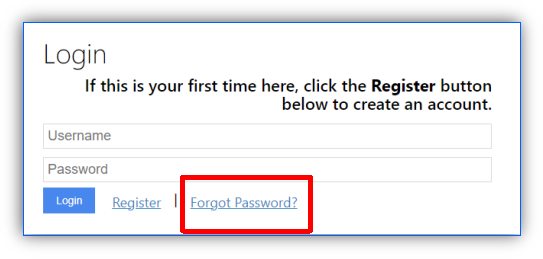
If you need to recover your username and/or password, you can do so by selecting the Forgot Password link. You will receive an email with your Username and a link to reset your Password.
Log in first, and then select the action button entitled “Landlord Portal” and then “My Families”. Clicking on the View Details button will provide you with additional information, such as the assigned Caseworker.

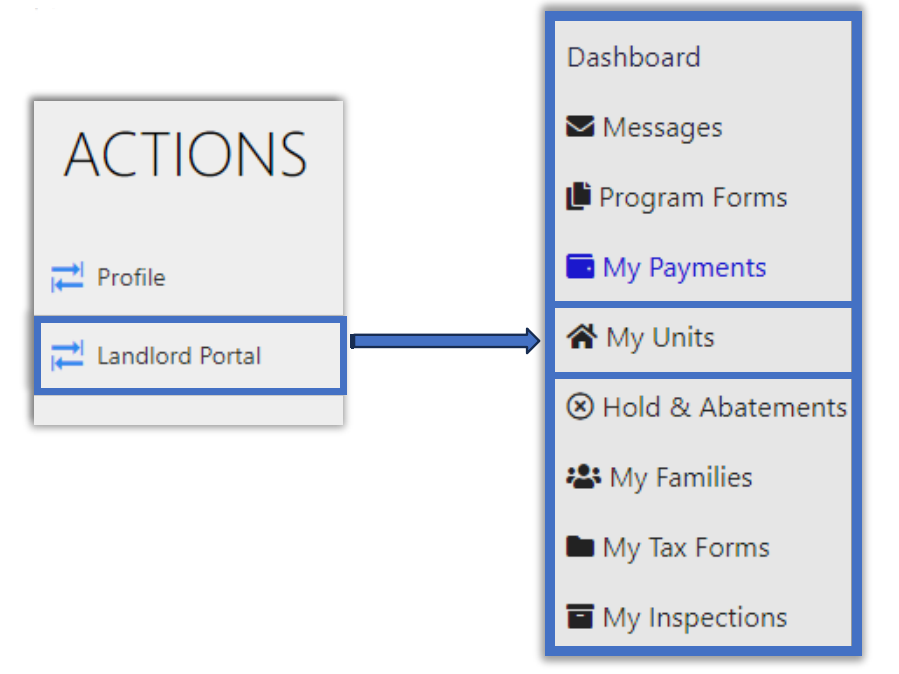
Log in first, and then select the action button entitled “Landlord Portal”. Select the action button entitled “My Units”. Clicking on the View Details button will provide you with additional information such as Resident and Unit Demographics.
Log in first, and then select the action button entitled “Landlord Portal”. Select the action button entitled “My Payments”. Clicking on the View Details button will provide you with detailed payment information.

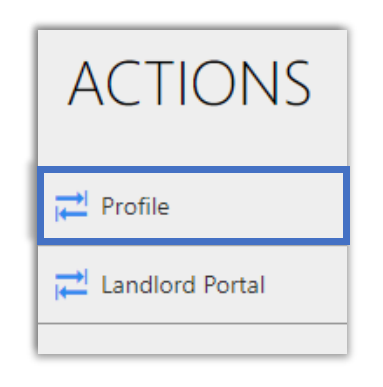
Log in first, and then click on the “My Profile” link to the left. You will see general contact information associated with your user profile on Landlord Portal. For your protection, changes to your information cannot be made online.
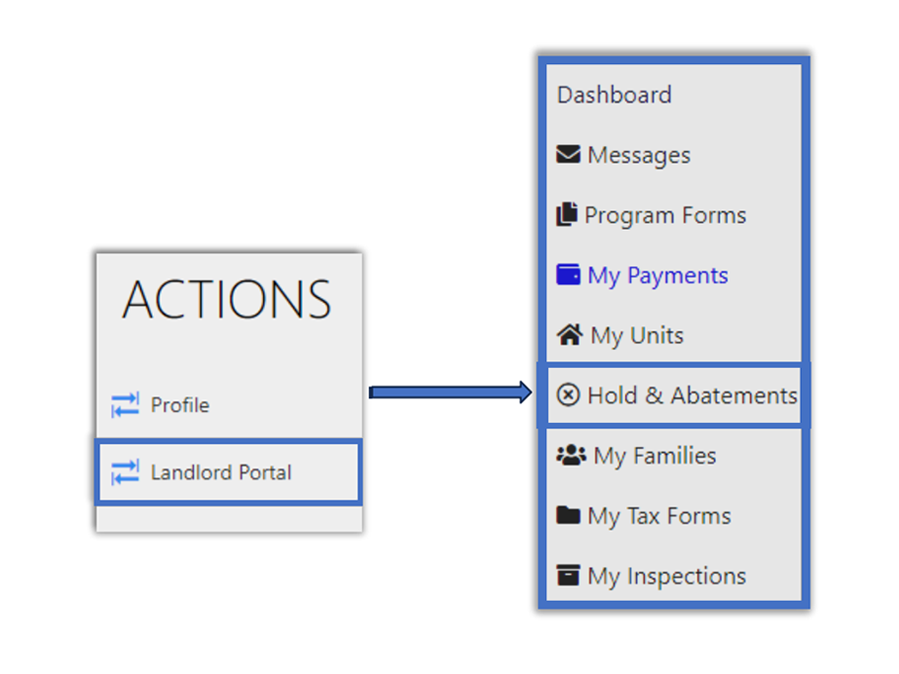
Log in first, and then click on the “Landlord Portal” link to the left. Select the action button entitled “Holds and Abatements”.
The list can be sorted by unit address, type (Unit or Abatement) or status (Open or Closed) by clicking on the down arrow of the drop-down menus.
This occurs if you are a Management Company or a landlord with multiple properties. To link you to all your properties please email us at SMHAPortal@smhaohio.gov so we may assist you.
For Landlord Portal support, you may email your questions to SMHAPortal@smhaohio.gov.